
Personal memory
Personal memory is one folder of memory that loads in every project, with any Claude profile: who you are, how you like to work. Claude Code has no such folder of its own, so Switchboard adds one line to your profiles’ CLAUDE.md that loads it.
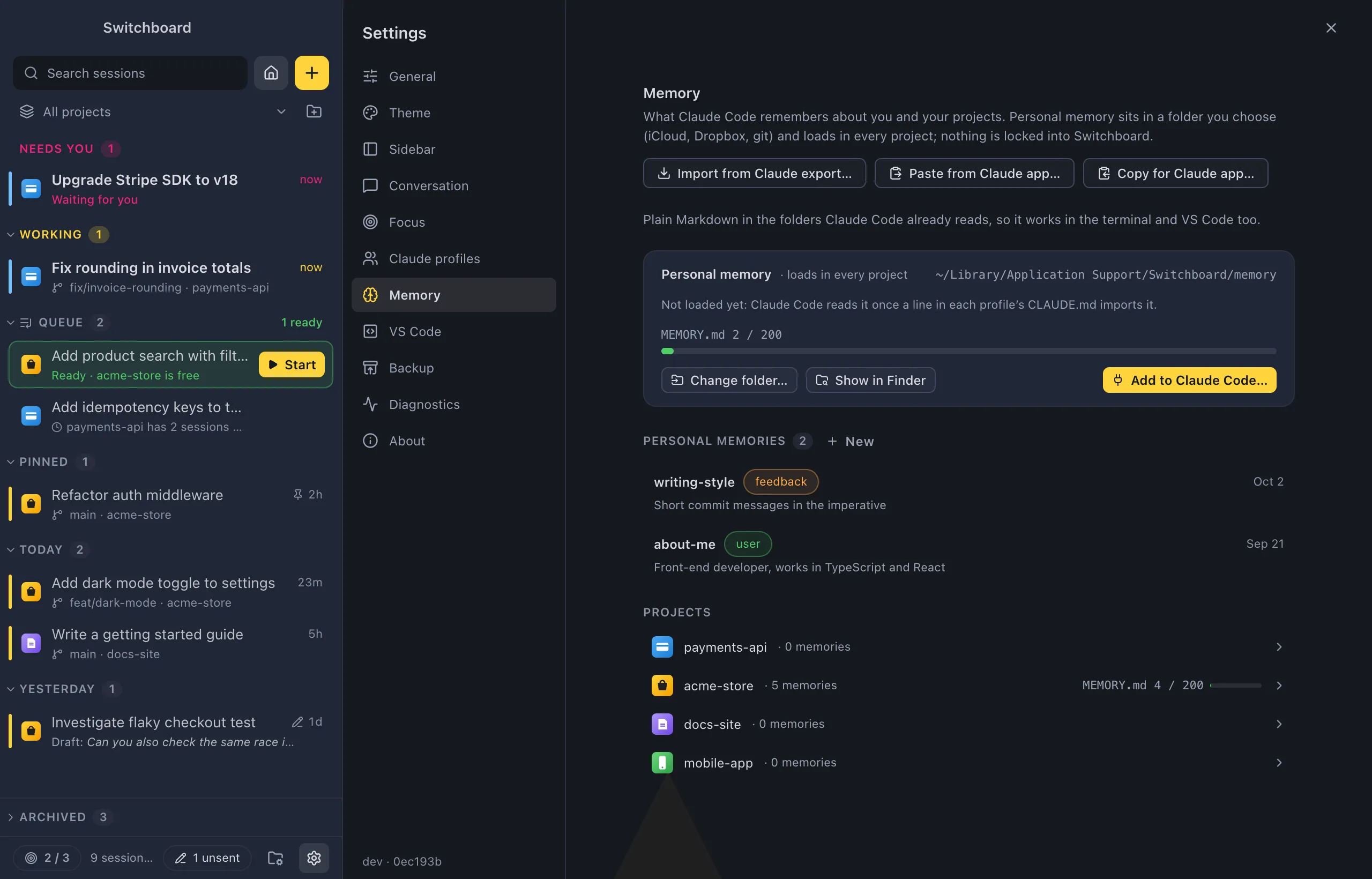
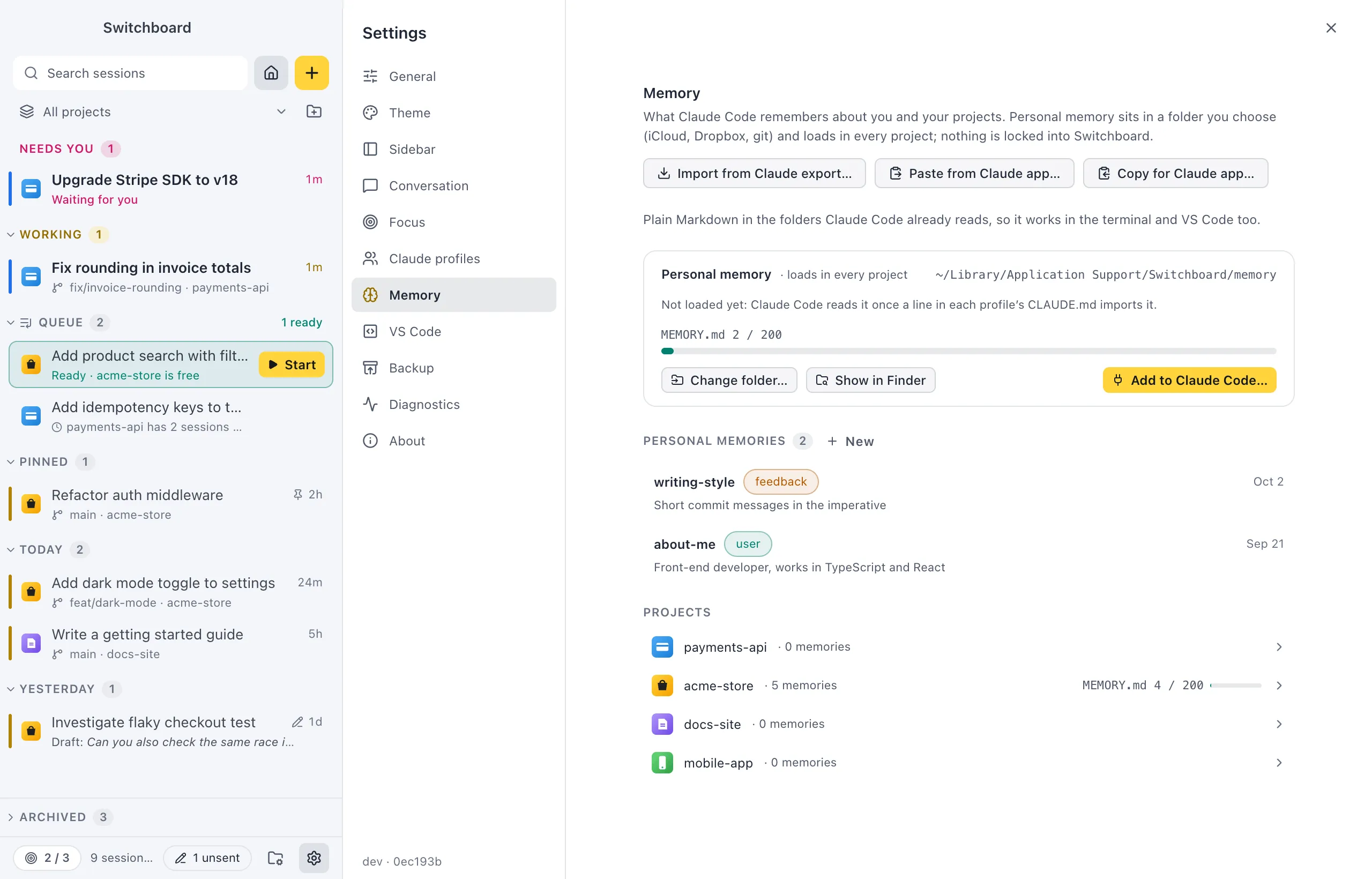
Open it
Section titled “Open it”- Open Settings (Command, CommaControl, Comma) and choose Memory, or run Memory settings… in the command palette. See Settings › Memory.
- On a project’s Memory tab, the Personal (all projects) list shows the same memories.
The folder
Section titled “The folder”Personal memory lives in Switchboard’s app data until you choose another folder:
~/Library/Application Support/Switchboard/memory%APPDATA%\Switchboard\memoryThe Personal memory card in Settings › Memory shows the folder, whether Claude Code loads it, and a MEMORY.md meter.
- Change folder… picks another folder. The memories already in the old folder stay there.
- Show in FinderFile Explorer opens the folder.
Sync it
Section titled “Sync it”Choose a folder in iCloud Drive, Dropbox, Google Drive, OneDrive or a git repository to have the same personal memory on your other computers. When the folder is synced, the card says so: anything you save there leaves this computer.
Load it in Claude Code
Section titled “Load it in Claude Code”- In Settings › Memory, click Add to Claude Code….
- Check the preview: each profile’s
CLAUDE.mdbefore and after. - Click Add to Claude Code (Command, ReturnControl, Enter).
Switchboard adds this block to the end of each profile’s CLAUDE.md, after one blank line:
<!-- switchboard:memory start -->@~/Library/Application\ Support/Switchboard/memory/MEMORY.md<!-- switchboard:memory end --><!-- switchboard:memory start -->@~/AppData/Roaming/Switchboard/memory/MEMORY.md<!-- switchboard:memory end -->The path is written with /, which Claude Code reads on Windows too.
- Only the index loads at the start of a session. Claude reads a memory file when it needs it, by the full path in the index.
- Nothing else in
CLAUDE.mdchanges. When you change the folder, the block is updated where it is. - Show the line shows the block as it is now.
- When some profiles don’t have the line (or it points at another folder), the card says so and Add to Claude Code… fixes it.
Spaces in the path are written as \ . If Claude Code doesn’t read such a path on your setup, choose a folder without spaces.
Remove it
Section titled “Remove it”Remove from Claude Code takes the block (and the blank line before it) out of each profile’s CLAUDE.md after you confirm with Remove the line. Claude stops loading your personal memory. The memory files stay where they are.
Add personal memories
Section titled “Add personal memories”- New in Personal memories (Settings) or Personal (all projects) (Memory tab) writes one. See Write a new memory.
- Move to Personal in a project memory’s menu moves it here.
- Remember this can save to Personal (all projects).
- Import from the Claude app puts who you are, your preferences, people and topics here.
Sync conflicts
Section titled “Sync conflicts”A sync tool can leave two versions of a file: name 2.md (iCloud), name (… conflicted copy …).md (Dropbox) or name (1).md (Google Drive), next to name.md. The Memory tab shows such a file with a conflict label and two buttons:
- Keep this one keeps this version; the other goes to the TrashRecycle Bin.
- Keep the other keeps the other version; this copy goes to the TrashRecycle Bin.
Settings
Section titled “Settings”Everything on this page is in Settings › Memory.