
Overview
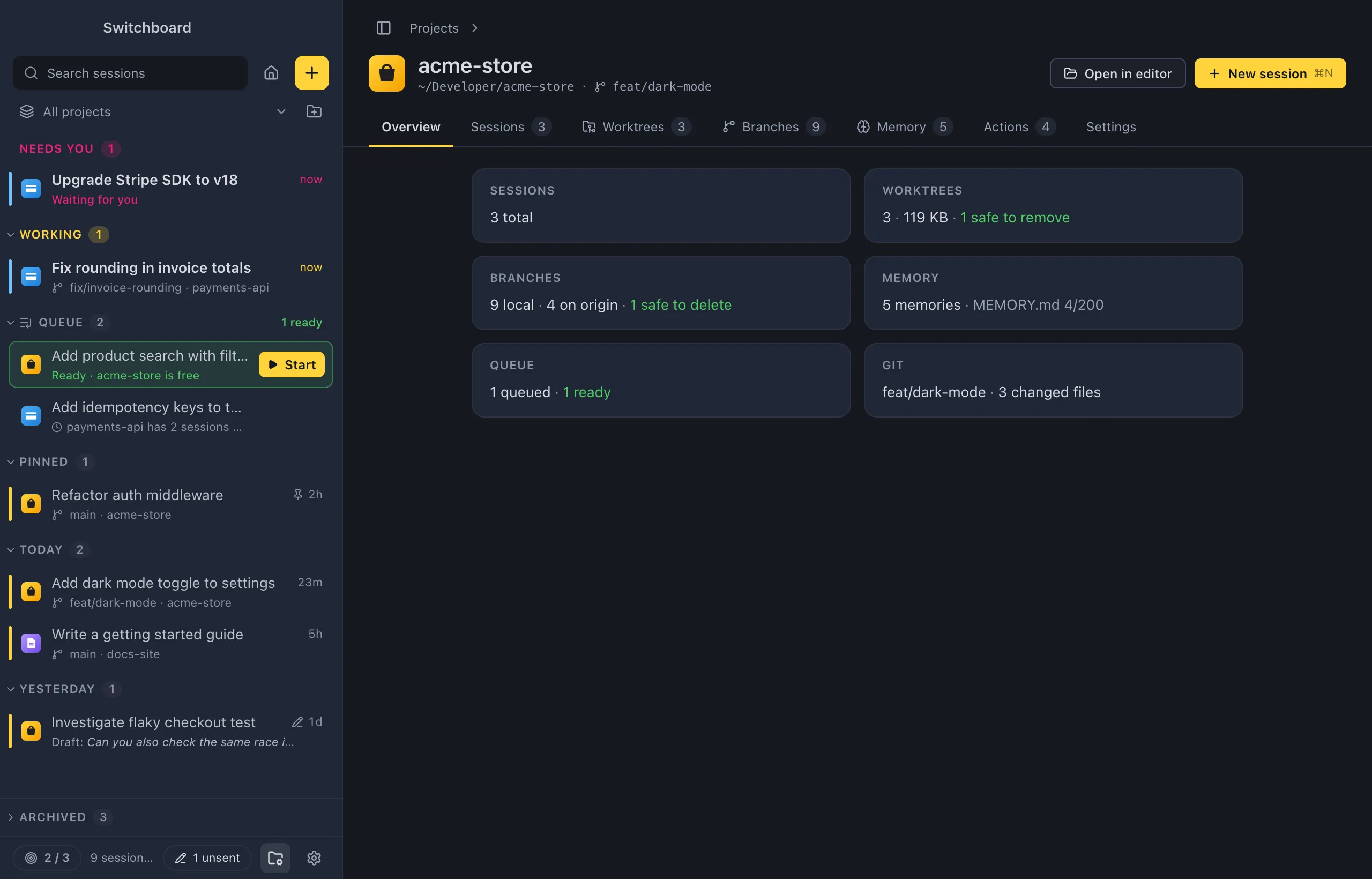
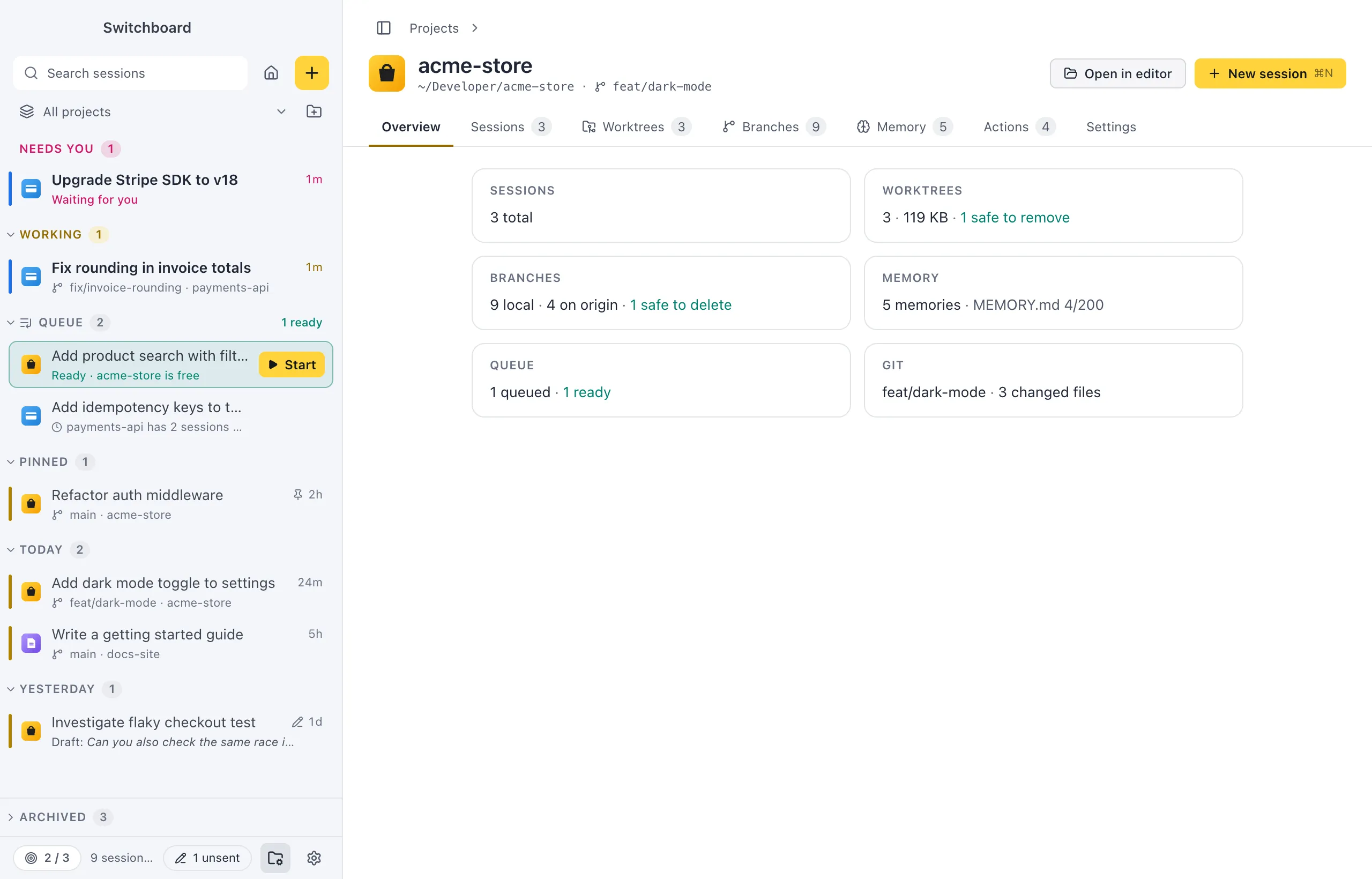
The Overview tab is the first tab of a project’s page. It sums up the project in a few cards: its sessions, worktrees, branches, memory, queue and git. Click a card to open the tab with the details.
Open it
Section titled “Open it”Open a project’s page from the Projects view, Open project in a project’s menu in the sidebar, or Project: <name> in the command palette (Command, KControl, K). The page opens on Overview the first time, and later on the tab you left it on. Click Overview in the tab row to come back to it.
How to use it
Section titled “How to use it”Each card has a heading and one line:
| Card | What it says | Opens |
|---|---|---|
| Sessions | How many sessions are working (in yellow), how many need you (in pink), and the total. | Sessions |
| Worktrees | How many worktrees the project has besides its main checkout, their size on disk, and how many are safe to remove (in green). | Worktrees |
| Branches | How many local branches, how many on the remote, and how many are safe to delete. | Branches |
| Memory | How many memories the project has, and how full its MEMORY.md is (“MEMORY.md 186/200”): orange from 180 lines, red past the 200 that load. |
Memory |
| Queue | How many prompts are queued for this project, and how many are ready. Only shown when something is queued. | Sessions |
| Git | The branch checked out (or detached HEAD), how many commits it is behind its upstream, how many commits are left to push, and how many files have changed. | Branches |
Outside a git repository, the Worktrees, Branches and Git cards say Not a git repository. While Switchboard reads the repository, they say Reading….
Settings
Section titled “Settings”Nothing changes the Overview itself. A project’s defaults for new sessions are on its Settings tab.