Claude Code mods
When a Claude Code plugin you use adds UI to a session, you see it in Switchboard too, right where you work. Mods are Claude Code plugins that draw UI: a band above the message box, a pane next to the conversation, a status in the message box, a toast, or their own view of part of the session, such as a tool call. Claude Code loads and runs them from your enabled plugins. Switchboard only draws what they return.
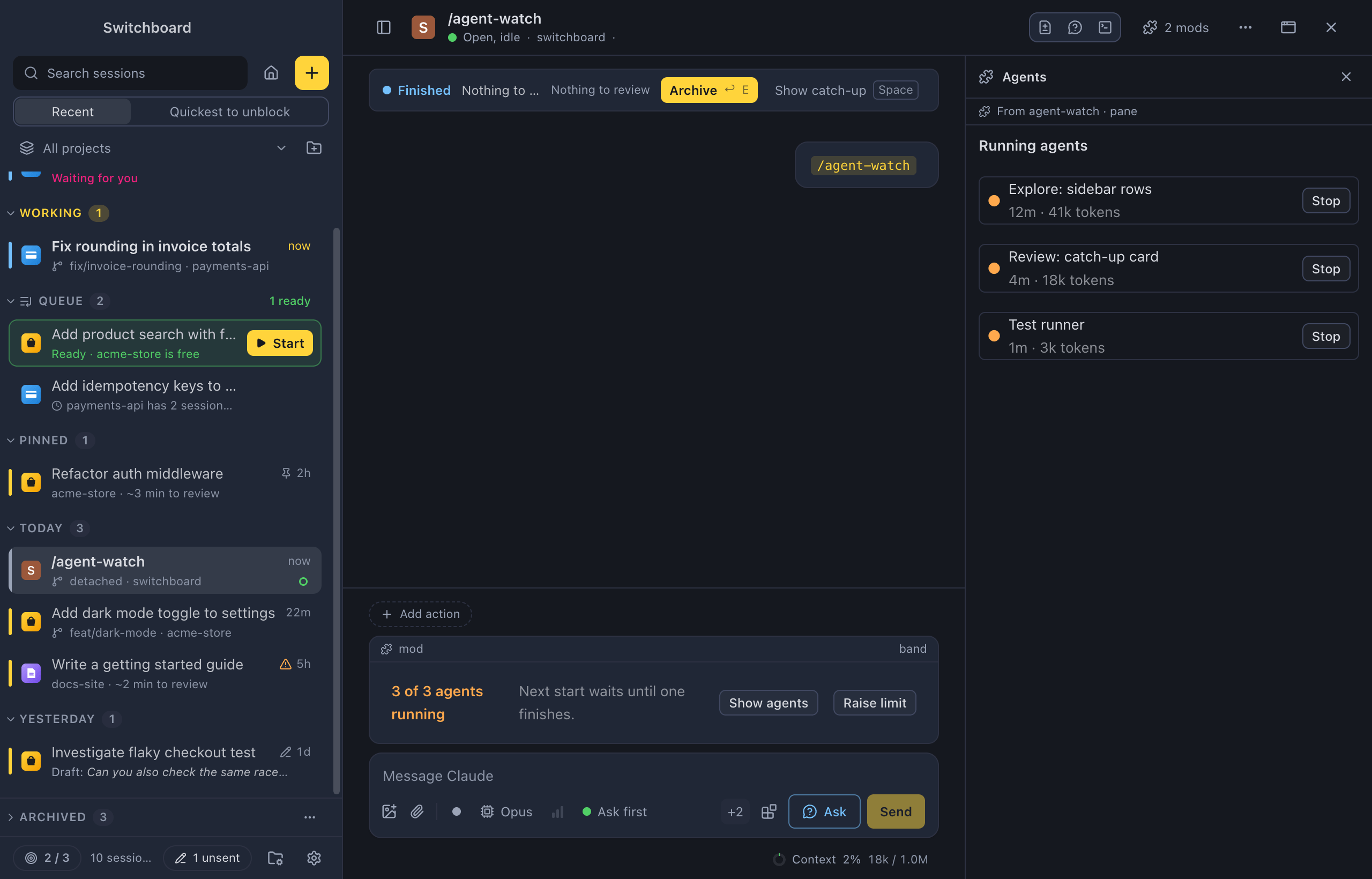
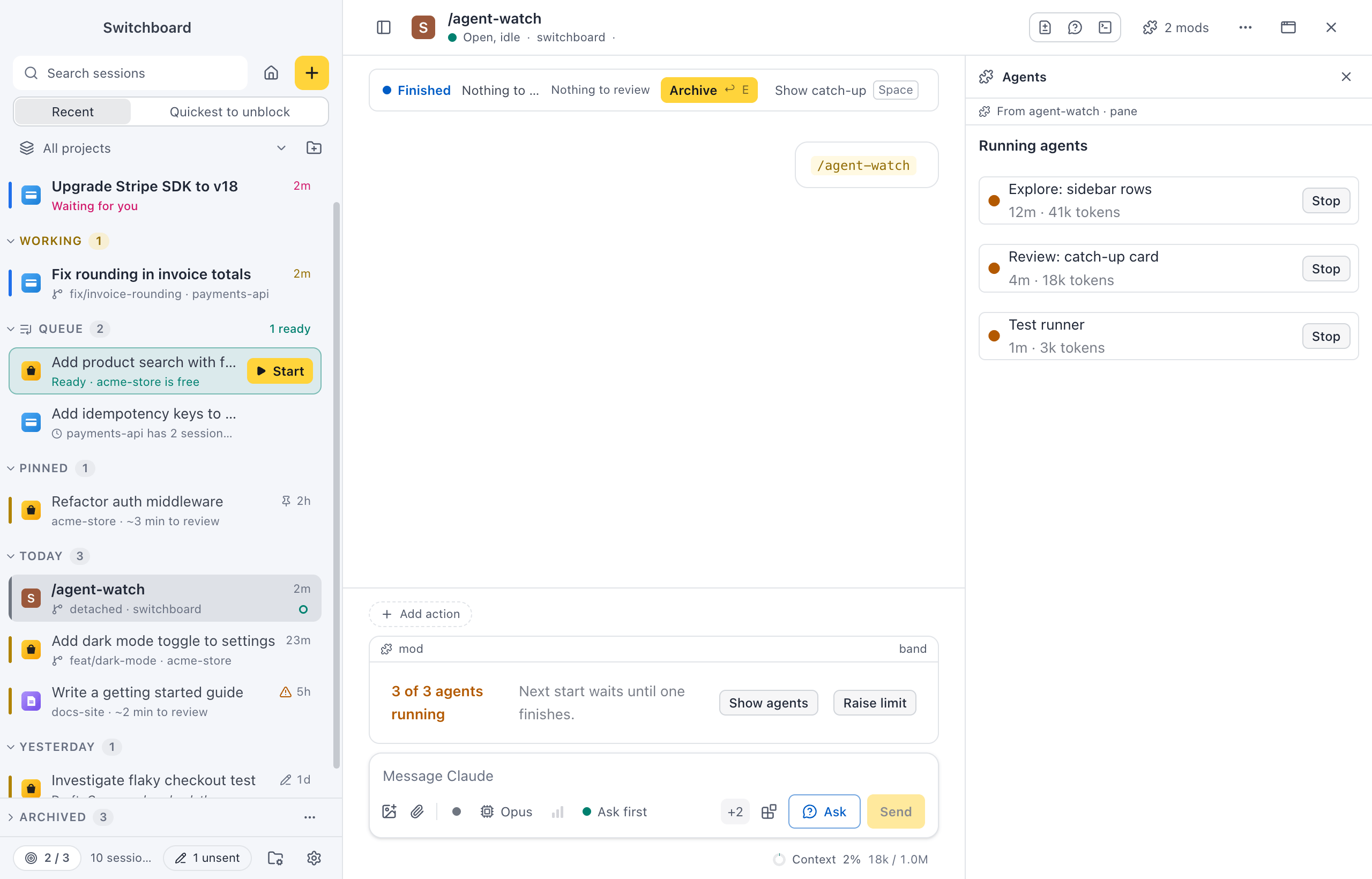
Everything a mod draws sits in a frame with a puzzle icon and the mod’s name, so you always know where it comes from. The one exception is a band when you have more than one mod: Claude Code doesn’t say which mod drew it, so its frame says mod (see Settings › Mods). A mod can’t draw its own header, and it can’t look like Switchboard’s own cards, such as a permission prompt.
Mods need a Claude Code version with mod support. A session on an older version works as before, without them.
Where mods show
Section titled “Where mods show”- Bands sit above the message box. Switchboard’s own permission and question cards always come first, then the mods’ bands, then Up next. A band is at most 160 pixels tall and scrolls inside.
- Panes open on the right, as tabs next to Changes and Ask, each with the pane’s title. A line under the tabs says which mod draws it, such as From agent-watch · pane. Click × to close a pane. Some mods let Escape close their pane too; the keyboard then goes back to the message box.
- Statuses are chips in the message box, before Send: the mod’s name and its text. Two fit at most. The rest go into a +N chip that lists them all. When the box gets narrow, the statuses fold into +N first, before anything else moves.
- Toasts show in the corner like Switchboard’s own, with the mod’s name on a small line above the text.
- Replaced views: a mod can draw its own view of a tool call, a message or the working line. The frame says what it replaces, such as Drawn by agent-watch · replaces ToolUse. Show the built-in view switches that one item back to Switchboard’s view, for this session.
Buttons, fields and lists in a mod’s drawing work with the keyboard and screen readers like the rest of the app. Links open in your browser, and only http and https links open at all. Nothing a mod draws can run code or load anything by itself.
Mods use the colours of your theme, so they look the same as the rest of the app in light and dark mode.
The mods in a session
Section titled “The mods in a session”The puzzle chip in the session’s header, such as 2 mods, lists the mods in the session and what each one draws: band, pane, status, toasts, or what it replaces. Each has a Show its UI switch, which hides or shows that mod’s UI in Switchboard.
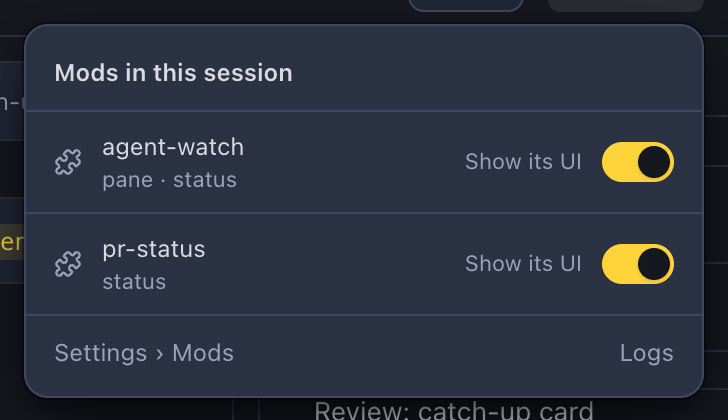
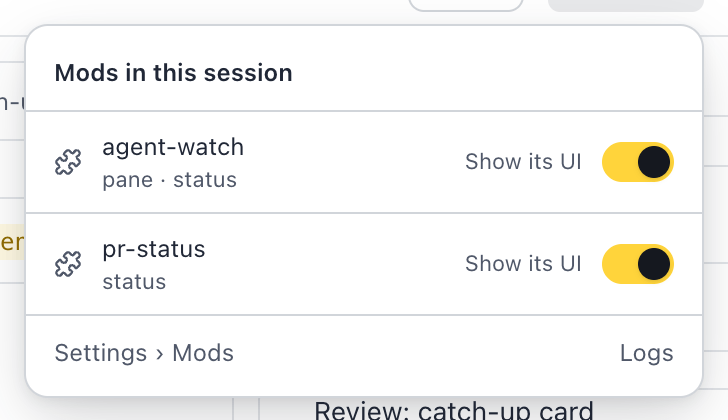
Settings › Mods opens the settings. Logs opens Settings › Diagnostics, where Mod logs shows what mods wrote to their log. Mod logs never show in the conversation.
Prompt checks
Section titled “Prompt checks”Some mods check your prompts before Claude reads them. Then a green checked chip with a shield shows in the message box. The checking happens in Claude Code, so the shield stays when you turn mods off.
Settings › Mods
Section titled “Settings › Mods”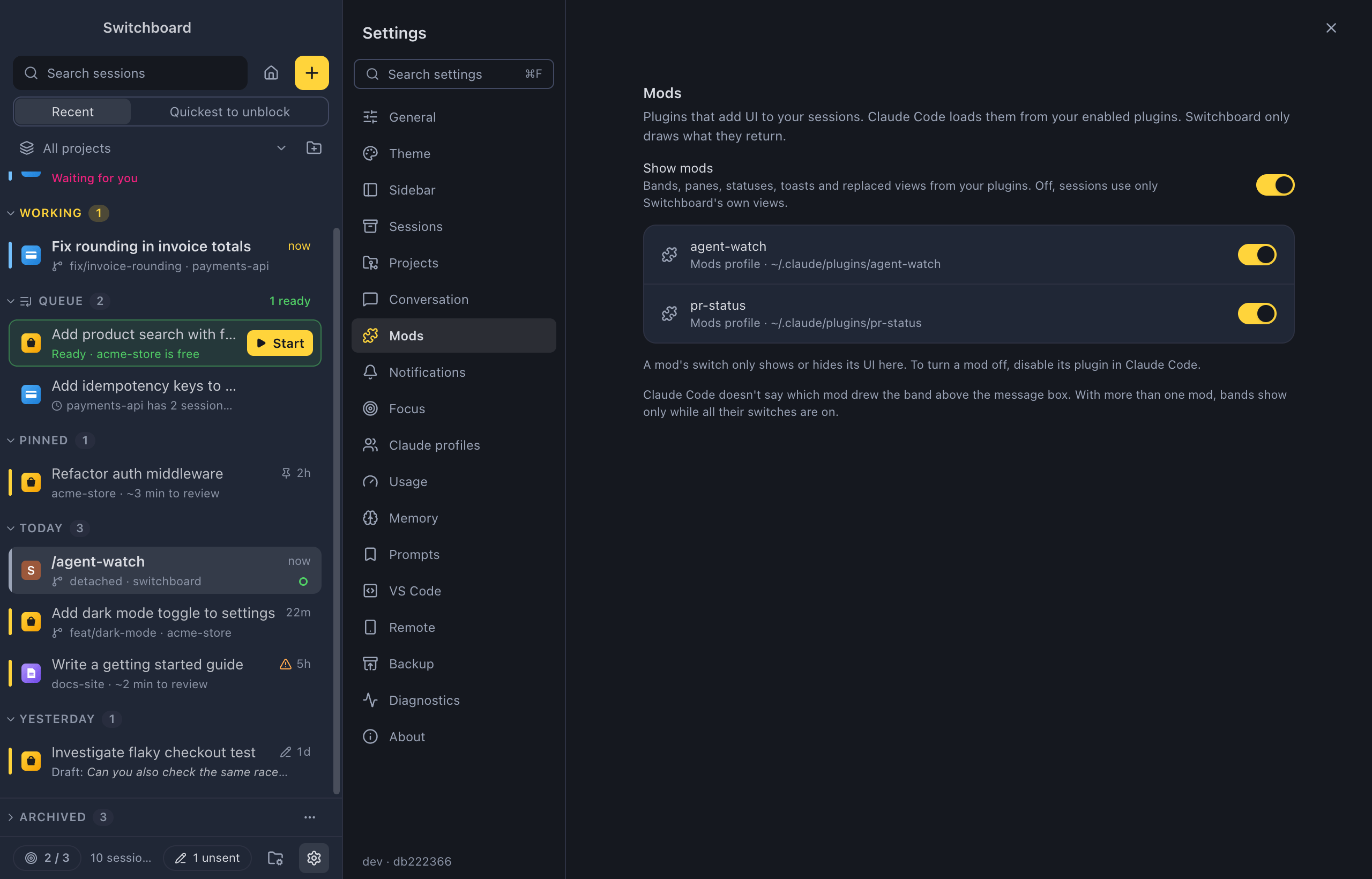
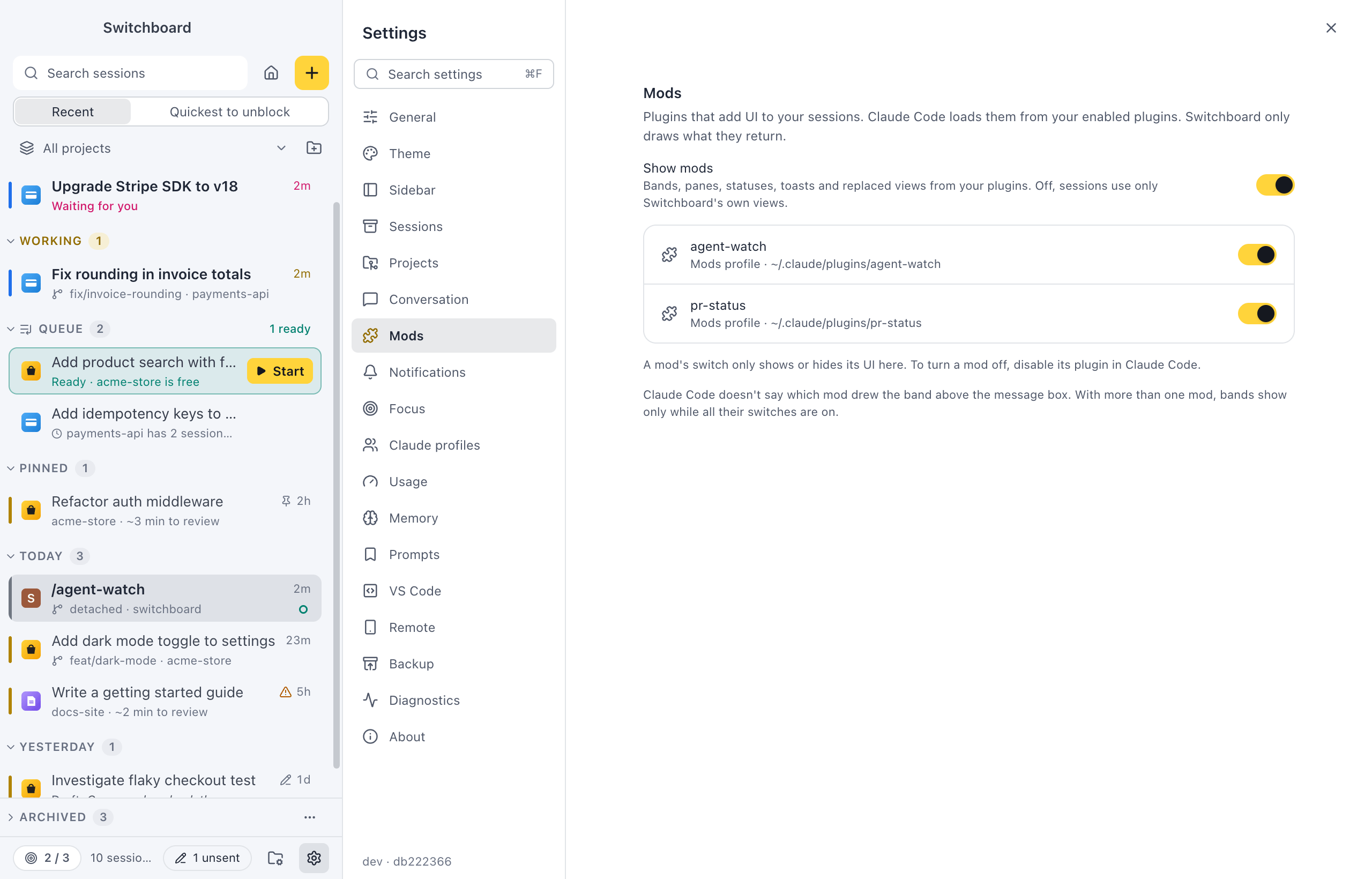
- Show mods is the main switch, on by default. Off, sessions don’t attach their mods: no bands, panes, statuses, toasts or replaced views, and tool calls use the built-in view. The chip in the header goes away. Turning it off or on takes effect in open sessions at once, without a restart.
- Under it, each mod from your enabled plugins, per Claude profile, with where it comes from: a plugin folder, a marketplace, or Managed by your organization. Each has a switch that shows or hides its UI here. With Show mods off, these switches are greyed out and keep their state for when you turn it back on.
When the session in front runs a Claude Code without mod support, the page says Needs Claude Code with mod support. This session’s version doesn’t draw mods.
Other devices
Section titled “Other devices”Your phone and other computers don’t show bands, panes or replaced views from mods.
Related
Section titled “Related”- AgentsSee the agents Claude started in a session in a panel next to the conversation, with what each one is doing, asked and reported.
- SettingsEvery section of Settings and what each control does.
- Claude profilesUse more than one Claude account in Switchboard, such as a personal plan and a work one.
- Built-in themesPick light or dark mode and one of the themes that come with Switchboard.